

SUMMARY:
Testers can ensure stable and reliable automation scripts by leveraging Playwright’s robust built-in methods—including specific waiting mechanisms, network response monitoring, and its auto-wait feature—to address common challenges posed by dynamic content like AJAX updates, loading spinners, and transient elements.
- Successful handling of dynamic content requires verifying element visibility, utilizing mechanisms such as
waitForSelectorcombined with thestate: ‘visible’option before attempting an interaction. - When content loads asynchronously (e.g., via AJAX), Playwright allows scripts to wait for network activity to settle down using
waitForLoadState(likenetworkidle) or by waiting for a specific server response. - Testers must handle disruptive elements, such as loading spinners and indicators, by waiting for them to disappear from the DOM before proceeding with subsequent interactions.
- By using Playwright’s auto-wait feature, the framework waits for elements to be attached, visible, and enabled before performing actions, reducing the need for manual waiting.
Understanding and applying these techniques are crucial for ensuring that Playwright automation scripts are resilient and can efficiently handle dynamic elements and unpredictable changes in web application content.
Table of contents
- SUMMARY:
- Introduction
- 1. Wait for Elements to be Visible
- 2. Using waitForLoadState for Navigation
- 3. Waiting for AJAX or Network Responses
- 4. Handling Animations or Transitions
- 5. Handling Spinners and Loaders
- 6. Polling for Dynamic Changes
- 7. Using the Auto-wait Feature in Playwright
- 8. Timeouts and Retry Logic
- 9. Handling Alerts, Pop-ups, and Modals
- Conclusion
Introduction
When automating web applications using Playwright, one of the common challenges testers face is handling dynamic content. Dynamic content refers to elements or data on a web page that may change frequently, either due to user interaction or changes in the backend system. These changes can include loading spinners, pop-ups, AJAX requests, or any other dynamic element that affects the stability of the automation scripts. Playwright offers several robust methods to address these challenges and ensure that tests remain stable and reliable.
Successful dynamic content handling starts with verifying element visibility.
1. Wait for Elements to be Visible
One of the key strategies for handling dynamic content is ensuring that actions are performed only when the relevant elements are fully visible and interactable. This prevents errors, such as trying to click on elements that haven’t loaded yet. Playwright provides several waiting mechanisms to help with this.
Example: Waiting for an Element to Be Visible

Here, waitForSelector waits for the element with the id #dynamic-element to be visible on the page before proceeding to click it. The state: ‘visible’ option ensures that Playwright waits until the element is displayed.
2. Using waitForLoadState for Navigation
When dealing with dynamic content that is loaded via AJAX or other asynchronous operations, it’s often not enough to wait for the page to load. Playwright’s waitForLoadState ensures that the page is in a specific state before interactions take place. This is particularly useful when content is dynamically loaded in response to a user action, such as clicking a button or submitting a form.
Example: Waiting for Page Load State
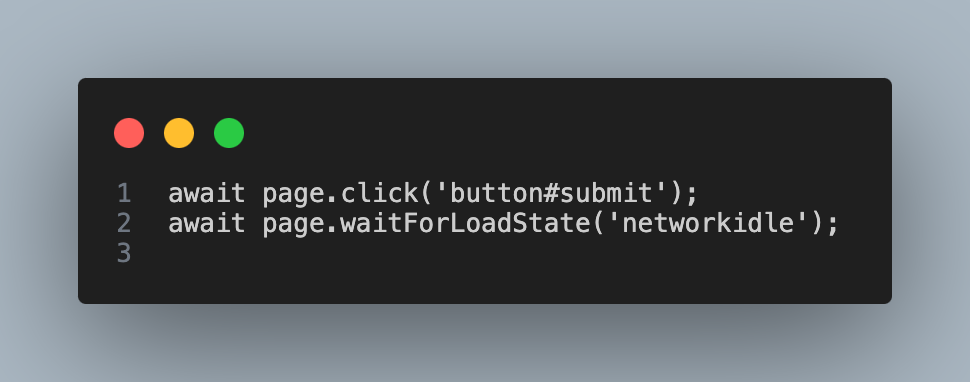
In this case, after clicking the submit button, the test waits for the network to be idle (networkidle), ensuring that all requests have completed before moving on.
3. Waiting for AJAX or Network Responses
Sometimes, web applications make dynamic updates via AJAX calls, meaning new data or content is loaded in the background after an action is taken. Playwright allows testers to wait for network activity to settle down before interacting with the page.
Example: Waiting for a Network Response
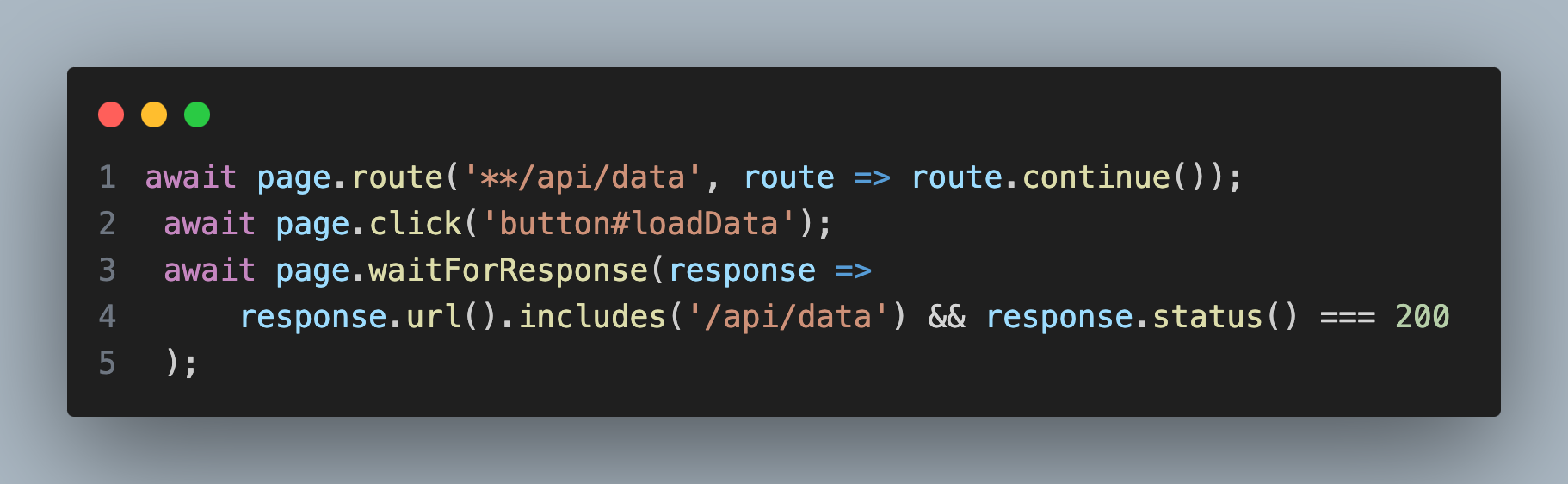
In this example, after clicking the loadData button, Playwright waits for a response from the server with a status of 200 before proceeding.
4. Handling Animations or Transitions
Dynamic content often involves animations or transitions, such as dropdown menus or modal windows that fade in or out. If Playwright attempts to interact with elements before the animation is complete, it could result in flaky tests. One way to handle this is by waiting for the animation to finish using waitForTimeout or waitForSelector combined with state options.
Example: Waiting for Animations to Complete
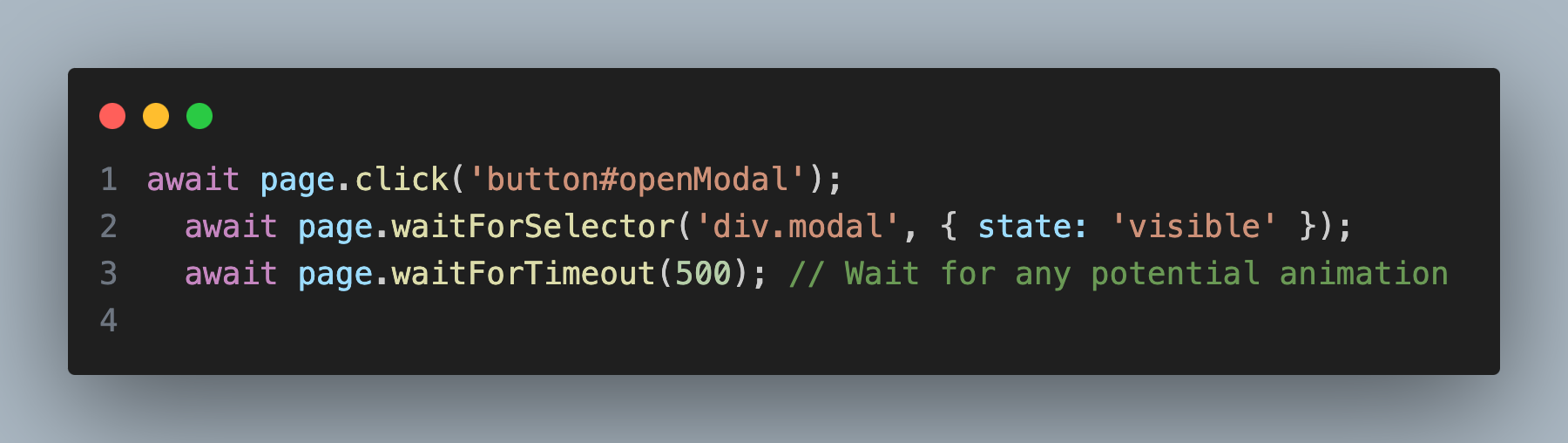
In this example, Playwright waits for the modal to be fully visible, followed by a timeout to allow any animations to finish before proceeding with further interactions.
5. Handling Spinners and Loaders
Loading spinners or other indicators of dynamic content loading can disrupt tests if Playwright attempts to interact with elements before the loading process completes. To handle such scenarios, it’s essential to wait until the loader disappears from the DOM.
Example: Waiting for a Spinner to Disappear
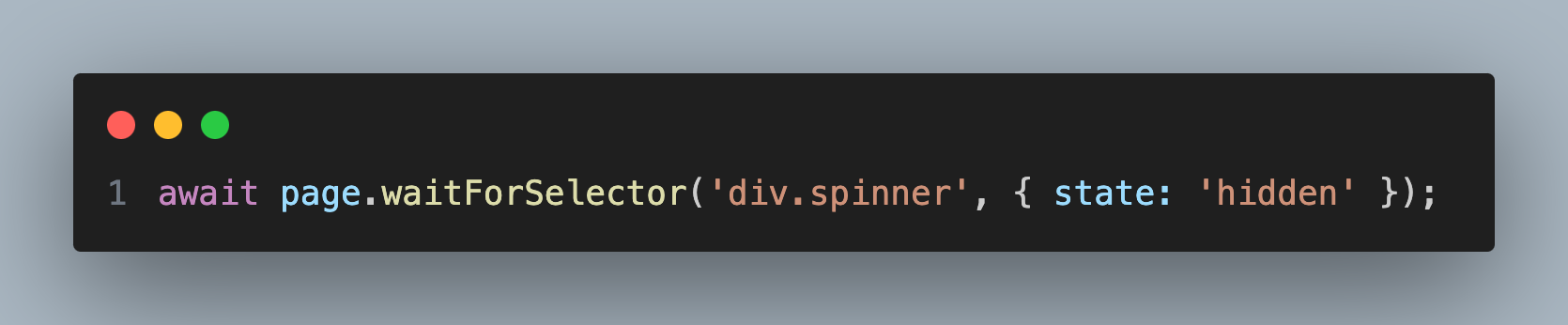
This waits for the spinner to be hidden, ensuring that the page is fully loaded and ready for the next interaction.
6. Polling for Dynamic Changes
In certain scenarios, the content may change unpredictably, making it challenging to utilize traditional waiting mechanisms. For example, the text of an element may update based on real-time data. In such cases, polling can be a useful strategy.
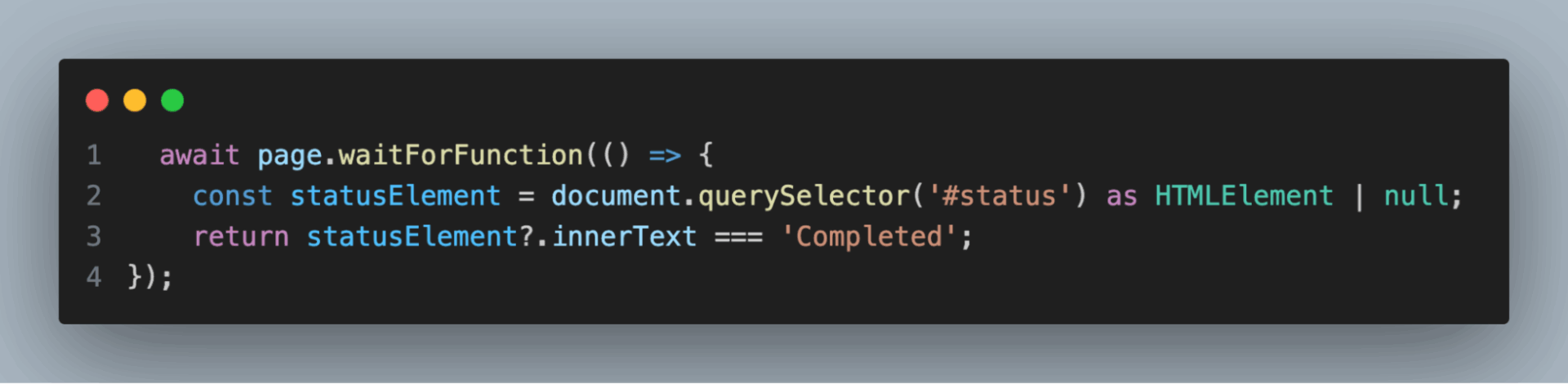
In this case, Playwright continuously checks (polls) the inner text of the #status element until it equals “Completed”.
7. Using the Auto-wait Feature in Playwright
Playwright includes an auto-wait feature that automatically waits for elements to be actionable before performing any interactions. This reduces the need for manually inserting wait times or selectors.
Example: Auto-wait in Action
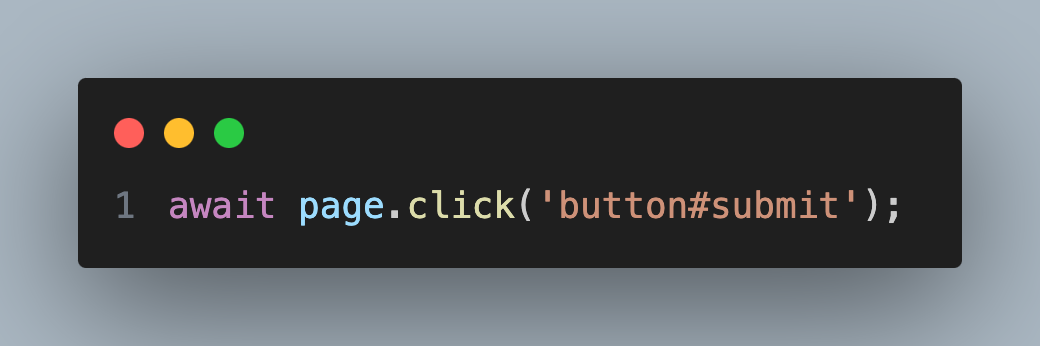
Here, Playwright will automatically wait for the #submit button to be attached to the DOM, visible, and enabled before attempting to click it.
8. Timeouts and Retry Logic
When dealing with dynamic content, it’s important to manage timeouts effectively. Playwright allows setting specific timeouts for actions, and retry logic can be implemented to handle intermittent failures.
Example: Custom Timeout

This example increases the timeout to 10 seconds, giving the element more time to appear and accommodating potential delays due to dynamic loading.
9. Handling Alerts, Pop-ups, and Modals
Dynamic alerts, pop-ups, or modals are common in web applications and can disrupt the flow of a test. Playwright provides handlers to deal with these.
Example: Handling a Dynamic Alert
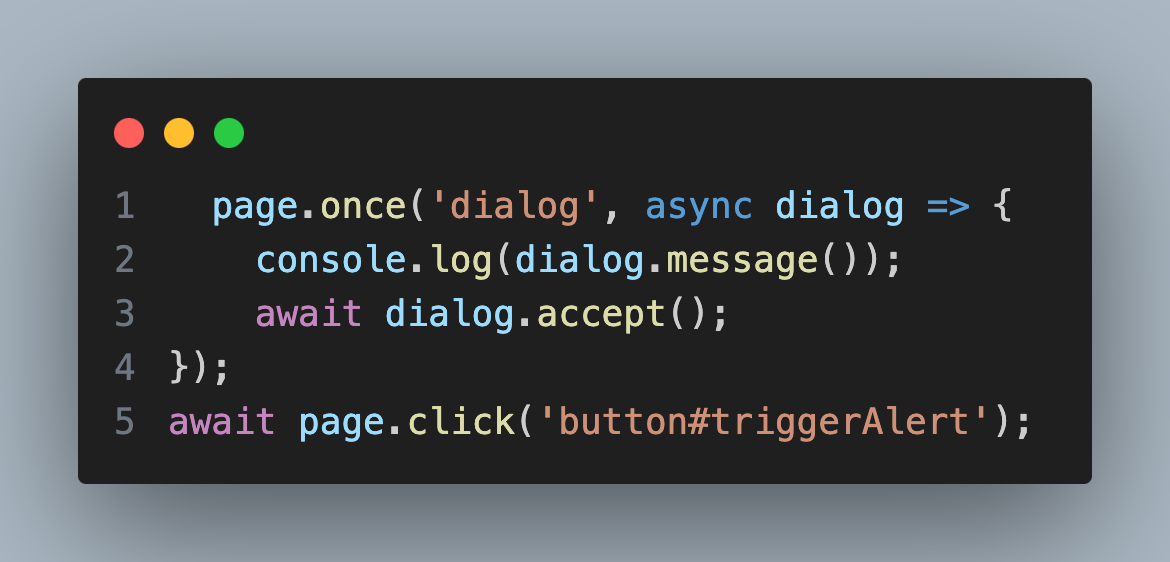
Here, the script listens for an alert dialog and accepts it when triggered.
Conclusion
Handling dynamic content in Playwright involves a mix of waiting for elements to become visible, waiting for network responses, handling spinners, and managing animations. By utilizing Playwright’s powerful built-in tools, such as waitForSelector, waitForLoadState, and auto-wait, testers can ensure that their automation scripts remain robust and reliable, even in the face of unpredictable changes to web application content.
These techniques are crucial for ensuring that Playwright scripts are resilient and can efficiently handle dynamic elements. Understanding and applying these strategies will help prevent flaky tests and ensure that test automation remains stable as applications evolve.