SUMMARY:
To ensure secure ingress traffic for applications like Trackit running on Google Kubernetes Engine (GKE), this detailed DevOps process outlines how to renew SSL/TLS certificates at scale by leveraging key generation tools, Keyfactor signing, and external secret management via Vault and ArgoCD.
- The process of updating the certificate on the Ingress URL involves using
keytoolcommands to generate a KEY Pair and a Certificate Signing Request (CSR), specifying the domains via Subject Alternative Name (SAN) entries. - The signed certificate, once obtained from Keyfactor, must be imported into the keystore. The private key and certificate files (tls.key and tls.crt) must then be extracted and stored in Vault under the
kv_devopssecret engine. - Successful deployment relies on creating and verifying ClusterSecretStores (such as
gke-supplychain-cluster-kv-devops-vault) and updating microservice Helm charts to include theexternal-secret-ingress.yamlfile, which references the new secret. - After merging changes into the main branch, verification in ArgoCD is necessary to confirm that the external secret is added to each application. This is followed by checking all Workload logs to ensure the application starts without errors.
Automating this complex certificate lifecycle management through external secrets policies and ArgoCD provides a crucial mechanism for securing sensitive data and minimizing manual errors in enterprise cloud-native environments.
Introduction
In modern cloud-native environments, ensuring secure communication across workloads is crucial—especially when handling sensitive data in enterprise systems. SSL/TLS certificates play a central role in securing ingress traffic for applications running on Kubernetes clusters. However, managing certificate renewal at scale can often be complex and prone to errors if not automated.
The steps below are to update the Certificate on the Ingress URL for the Workload in GCP.
Generate KEY Pair:
keytool -genkey -dname "CN=trackit-ui.gcp.tmw.com, OU=supplychain, O=TAILORED BRANDS\, INC., L=Houston, ST=Texas, C=US" -alias trackit -validity 3650 -keyalg RSA -keysize 2048 -keystore trackit.jks -keypass password -storepass password -ext SAN=DNS:trackit-ui.gcp.tmw.com,DNS:barcode-generator.gcp.tmw.com,DNS:trackitauth.gcp.tmw.com,DNS:expresstrackitalert.gcp.tmw.com,DNS:orderupload.gcp.tmw.com,DNS:posearchorderupload.gcp.tmw.com,DNS:shippingwrapper.gcp.tmw.com,DNS:snowflakewrapper.gcp.tmw.com,DNS:addresscleansing.gcp.tmw.comGenerate CSR:
keytool -certreq -file trackit.csr -keystore trackit.jks -alias trackit -ext SAN=DNS:trackit-ui.gcp.tmw.com,DNS:barcode-generator.gcp.tmw.com,DNS:trackitauth.gcp.tmw.com,DNS:expresstrackitalert.gcp.tmw.com,DNS:orderupload.gcp.tmw.com,DNS:posearchorderupload.gcp.tmw.com,DNS:shippingwrapper.gcp.tmw.com,DNS:snowflakewrapper.gcp.tmw.com,DNS:addresscleansing.gcp.tmw.comGet the signed cert from Keyfactor and import it into Trackit.jks:
keytool -import -alias trackit -keystore trackit.jks -trustcacerts -file trackit-ui.gcp.tmw.com.crtExtract Private KEY:
keytool -importkeystore   -srckeystore tst-trackit.jks   -srcstoretype JKS   -srcalias trackit   -destkeystore trackit.p12   -deststoretype PKCS12   -deststorepass password   -srcstorepass password
openssl pkcs12 -in trackit.p12 -nocerts -nodes -out tls.key
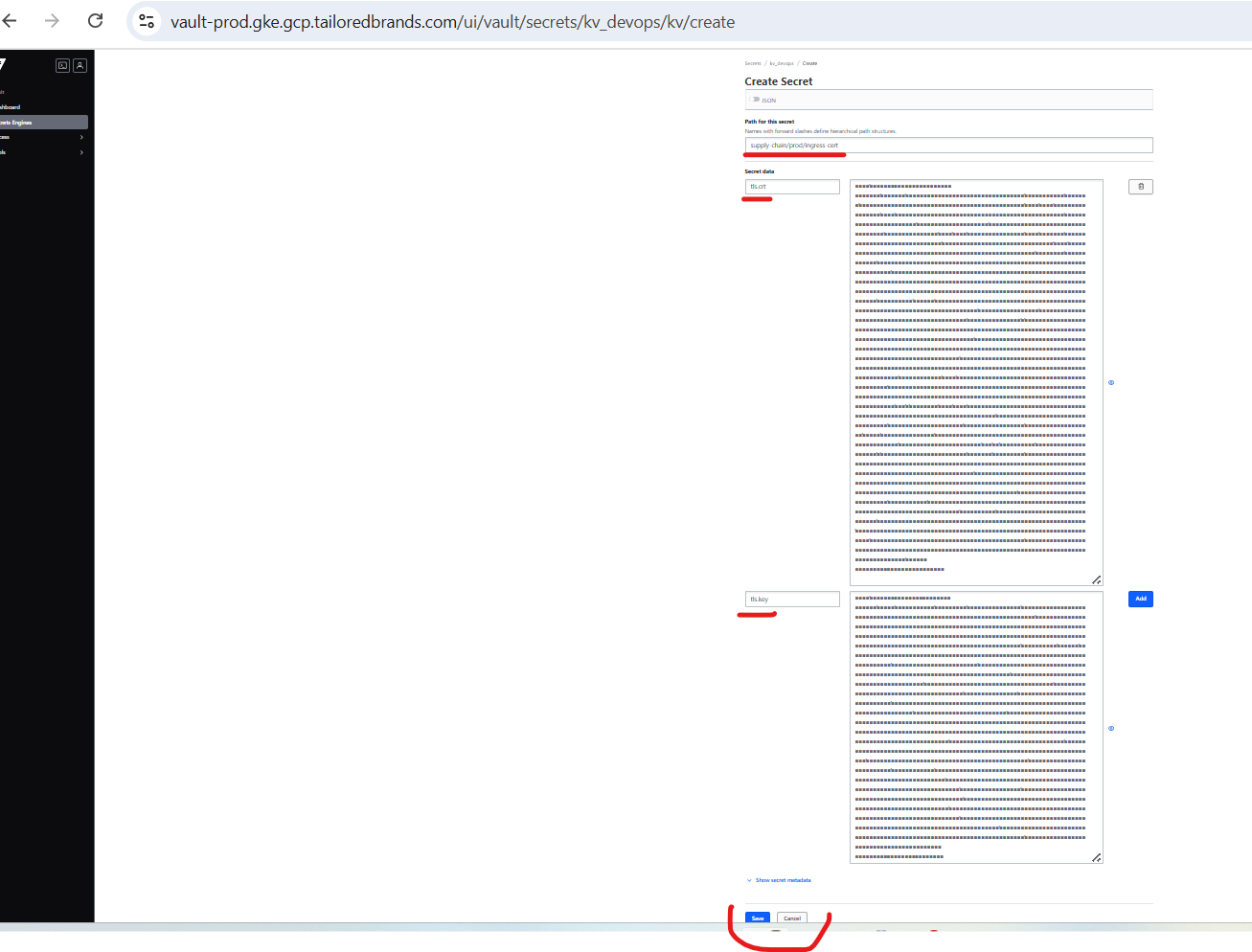
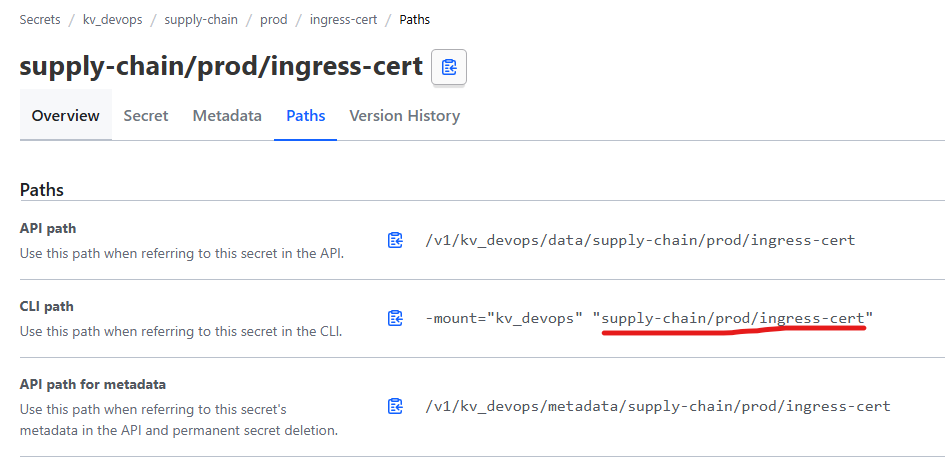
Create a secret in Vault to store the TLS.crt and TLS.key files.
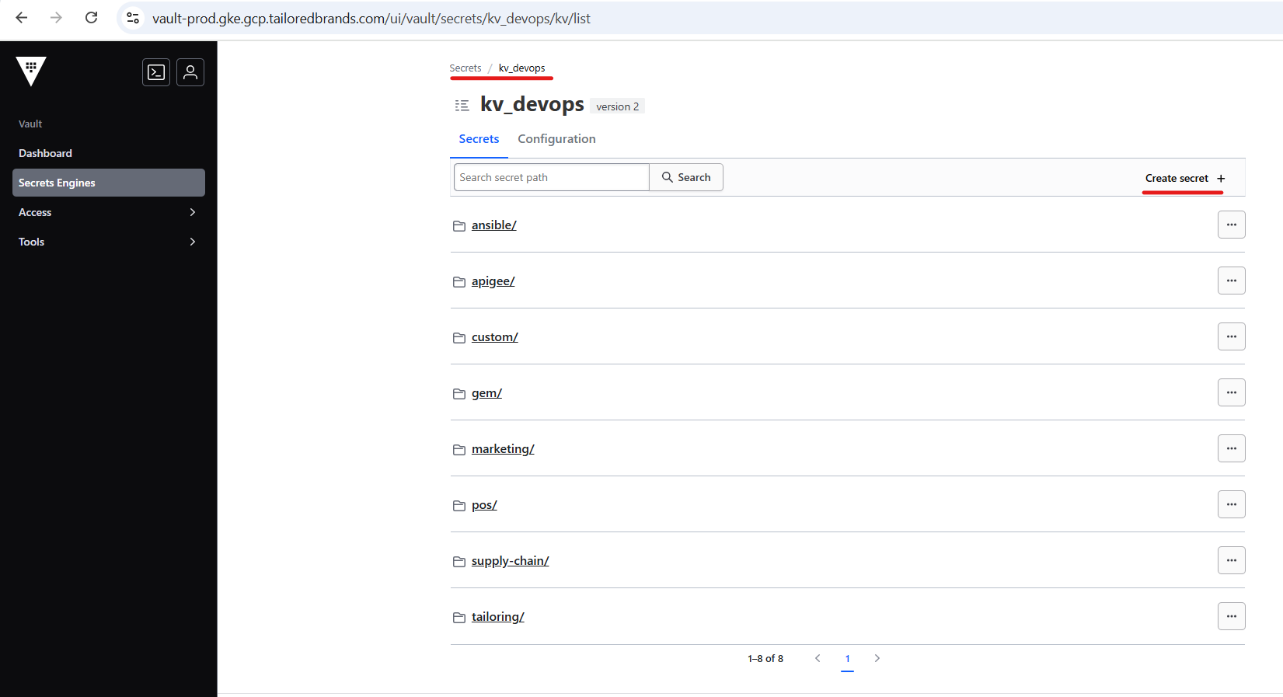
Log in to https://vault-prod.gke.gcp.tailoredbrands.com.
Create secret under kv_devops secret engine.
Make sure you don’t delete the empty line at the end.
Create ClusterSecretStore for intended project.
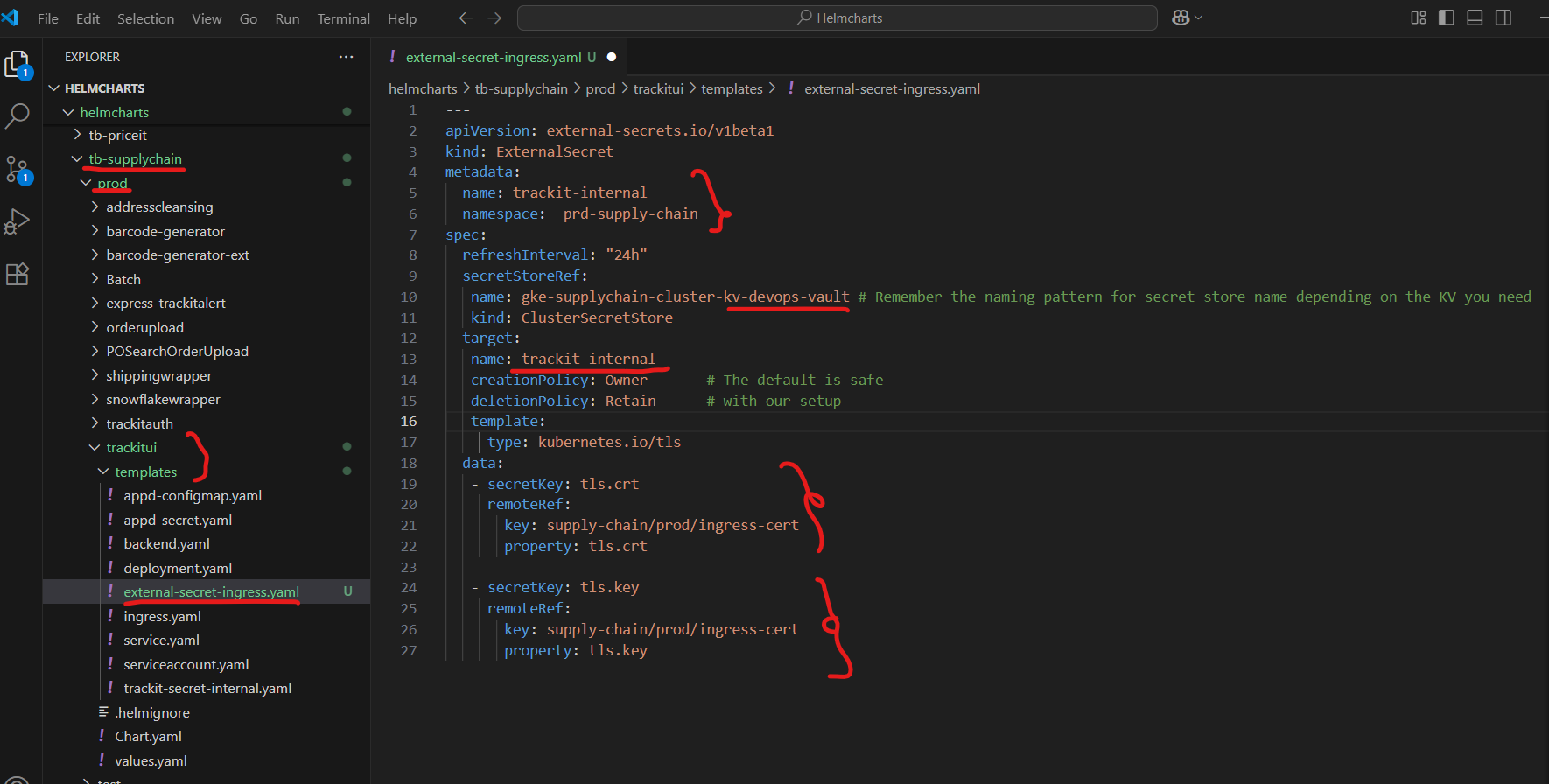
Here we are maintaining two ClusterSecretStores. One is for DB usernames and passwords, and another for DevOps-related tasks, such as certificate updates, with a standard naming pattern. See example below. kv-dba and kv-devops-vault are common for all clusters; only add the cluster name at the start.
We need to add an external secrets policy first in the GCP repository, located in the respective project folder, and then the cluster will be able to find the secret in the vault.
Create a new branch on the GCP repository and update it as follows, depending on the environment:
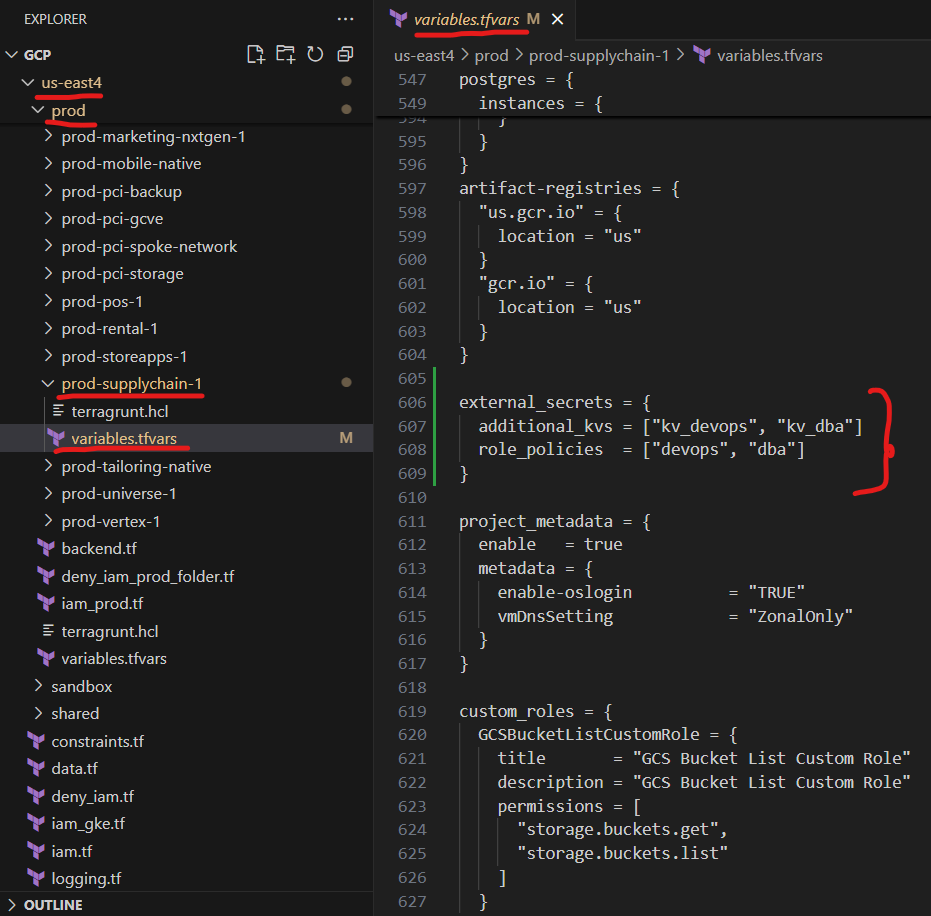
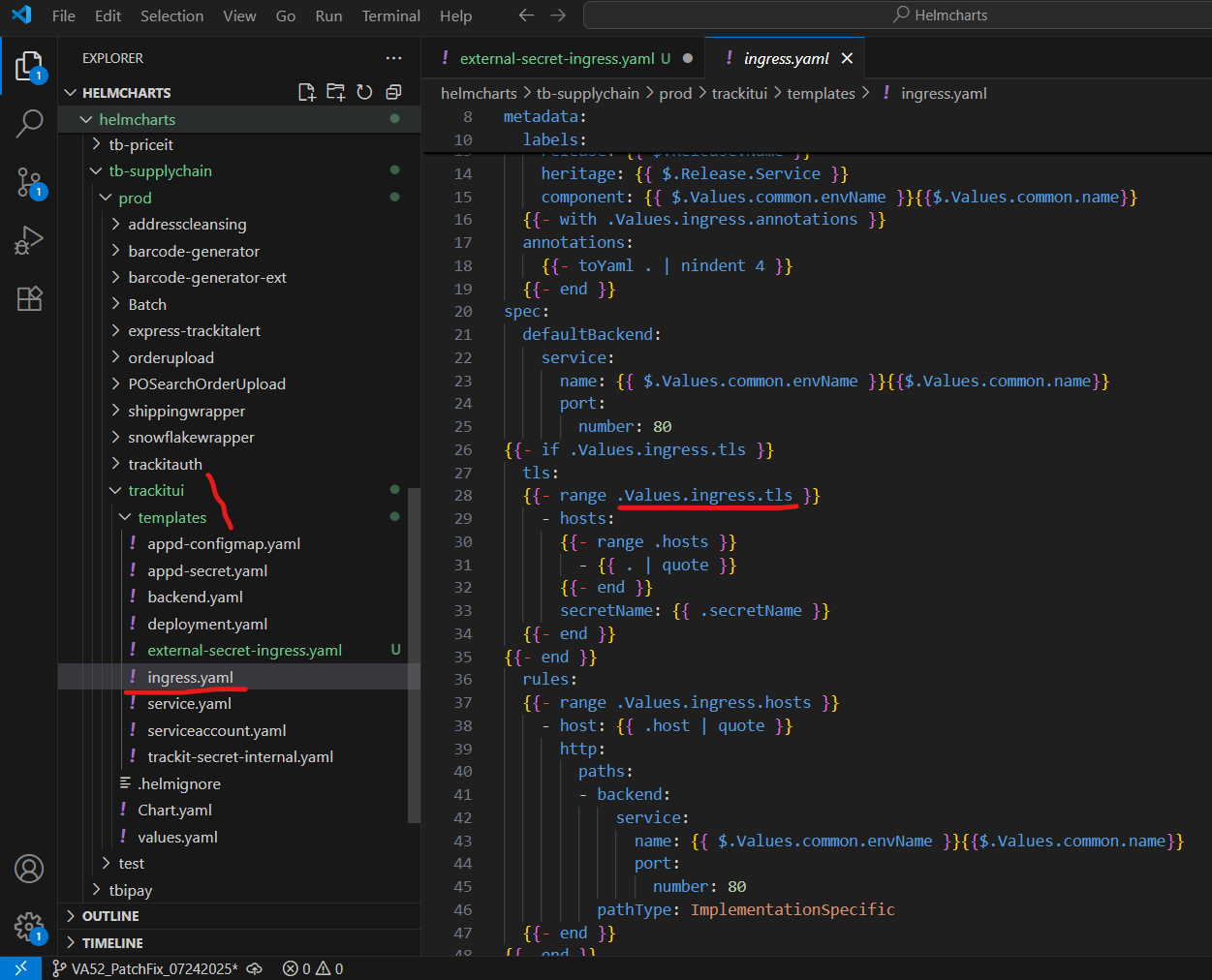
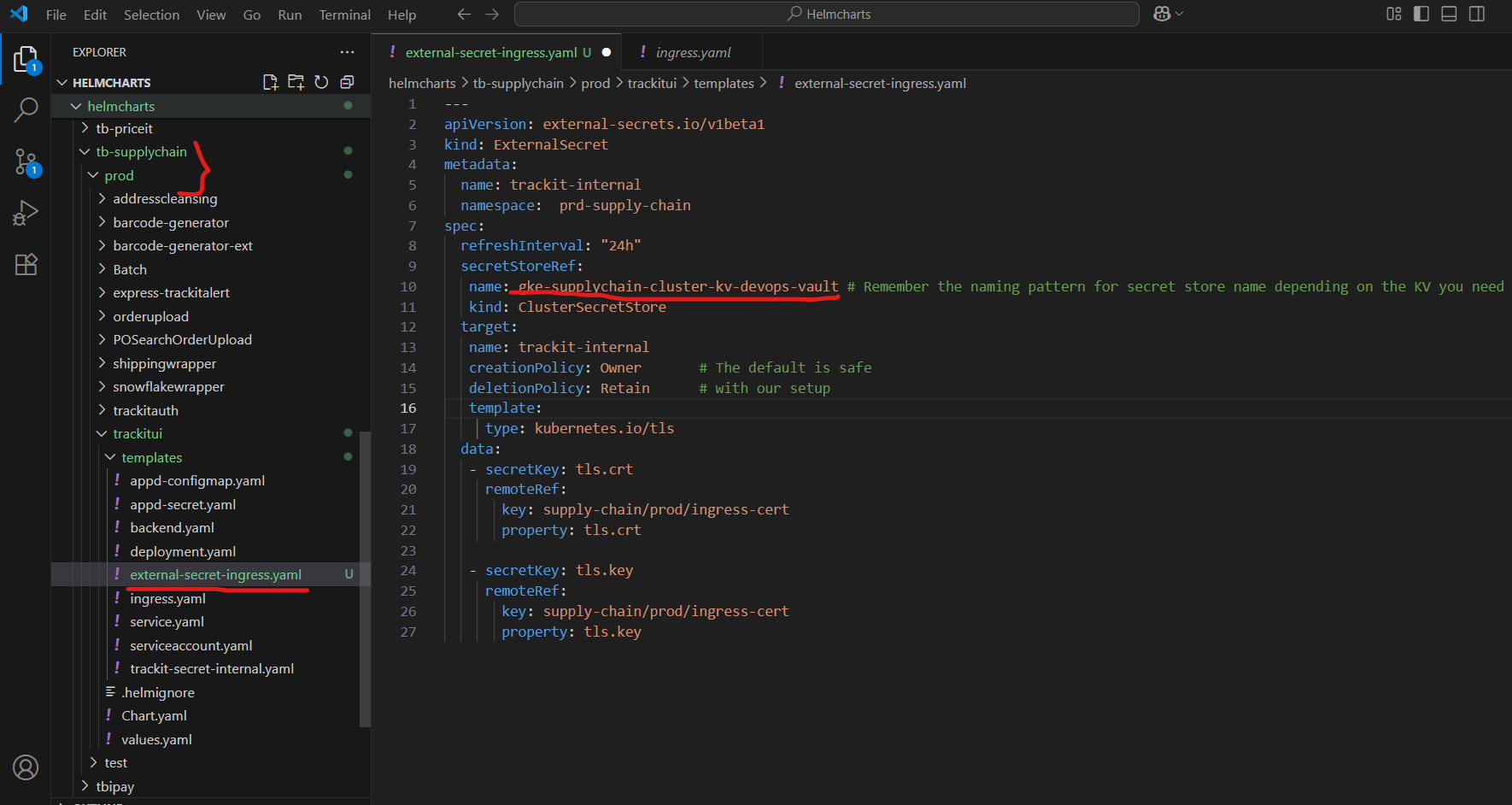
Now, we need to add external-secret-ingress.yaml to each microservice Helm chart folder as required and make the following changes, since the same secret is being used by all microservices. We have added SAN entries for all URLs of the microservices.
external-secret-ingress.yaml
values.yaml

ingress.yaml
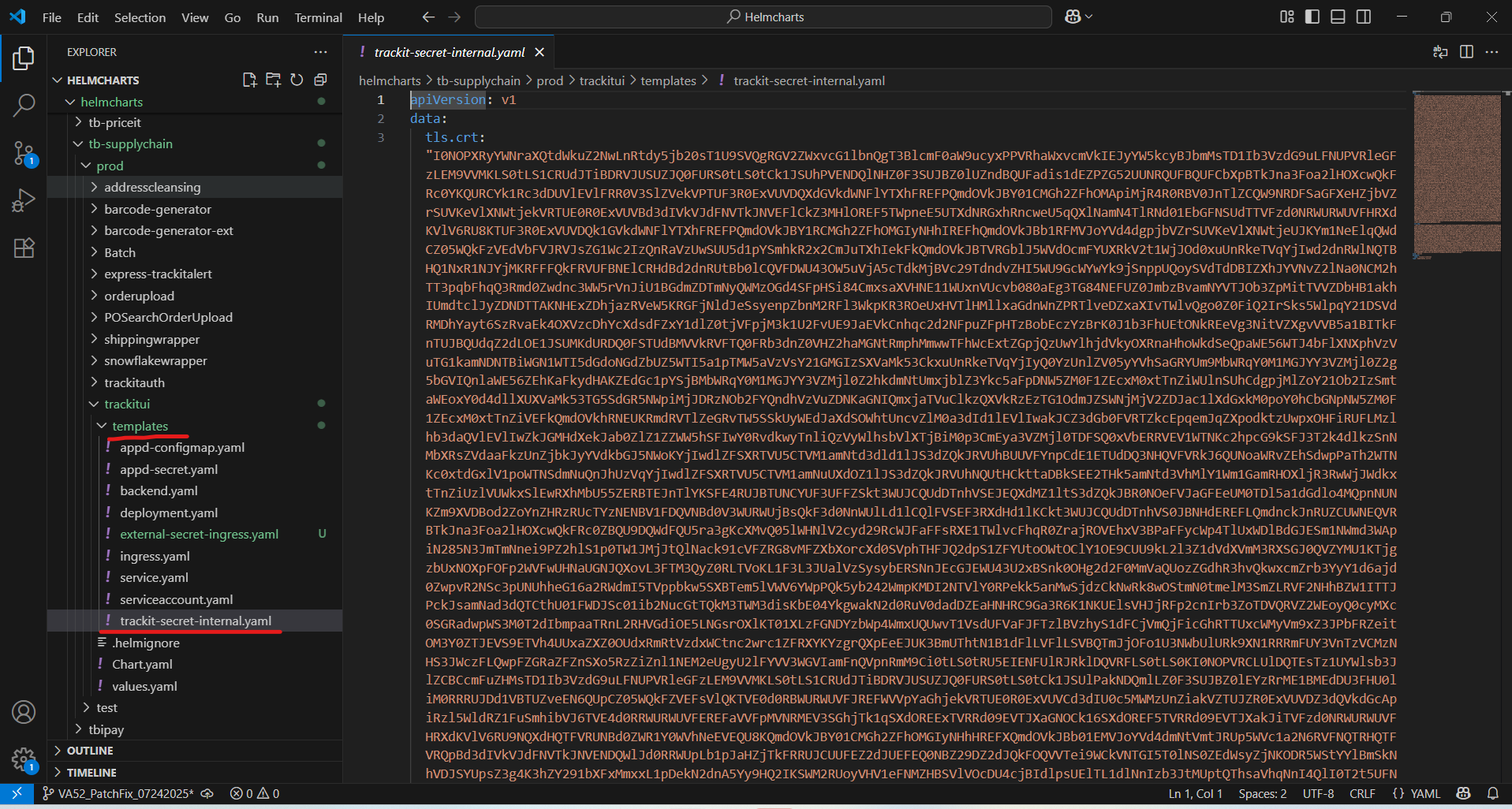
Now it’s time to delete the existing trackit-secret-internal.yaml file, which contains the internal secret with TLS.crt and TLS.key entries, all with the same secret name, trackit-internal.
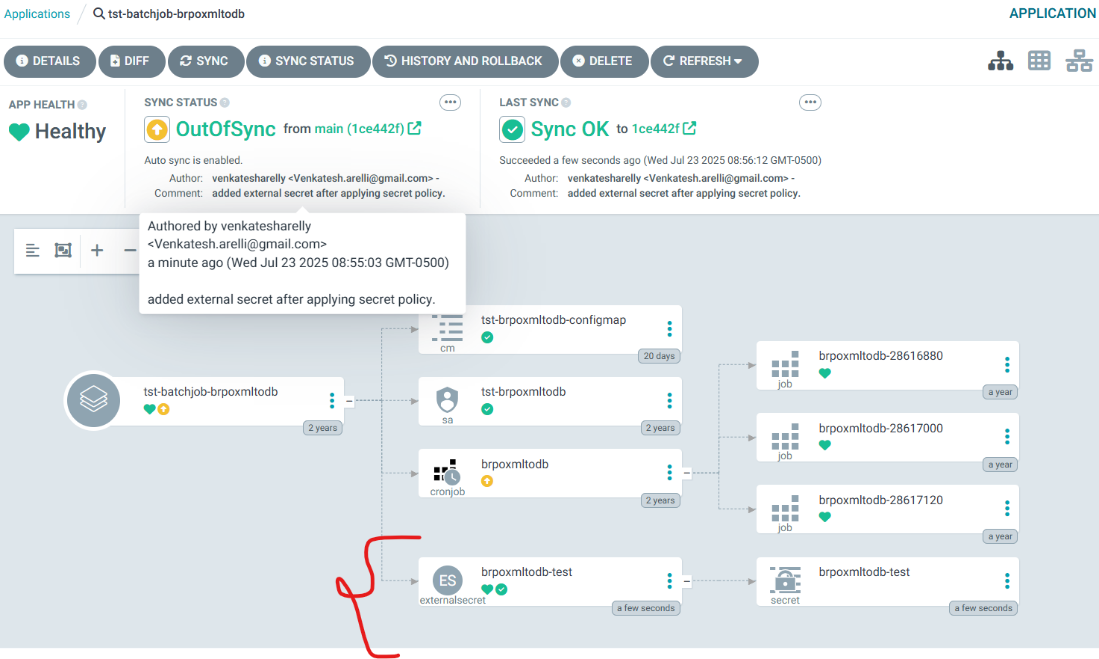
Once these changes are merged into the main branch, navigate to ArgoCD https://argocd.gcp.tailoredbrands.com/ and verify that the external secret has been added to each application. If not, try syncing it manually.
Finally, connect to the GKE cluster and check that clustersecretstores are created using the below command:
[va52@ws8bdapp601 ~]$ kubectl get clustersecretstore
NAME                                      AGE     STATUS   CAPABILITIES   READY
gke-supplychain-cluster-kv-dba-vault      4m14s   Valid    ReadWrite      True
gke-supplychain-cluster-kv-devops-vault   4m14s   Valid    ReadWrite      True
gke-supplychain-cluster-vault             296d    Valid    ReadWrite      True
Now, verify once again the secretStoreRef in external-secret-ingress.yaml, and confirm that it is listed in the output of the above command.
Finally, verify all the Workload logs and see if the application starts without any errors.
Verify the external secret resource is showing in Argo: